
System Requirements
Minimum and recommended PC specs for running Dinoblade. Built on Unreal Engine 5 with modest minimum requirements — learn about upscaling options and performance tips.
Frequently Asked Questions
Can a GTX 1050 run Dinoblade?+
Is there controller support?+
Does Dinoblade support ultrawide?+
What upscaling options are available?+
System Requirements Info
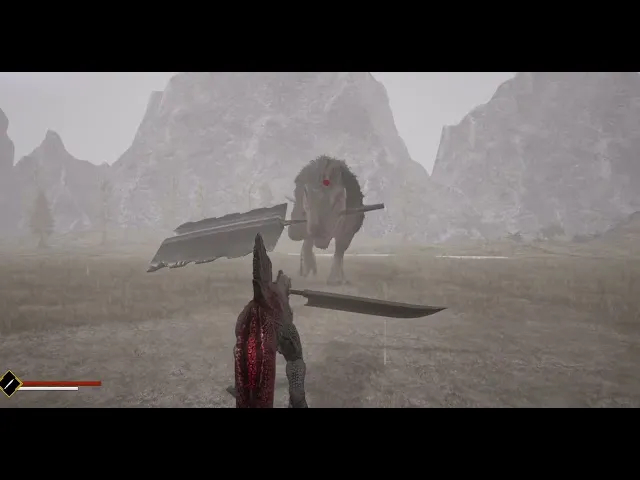
Best Settings for Low-End PC — Dinoblade Budget Optimization
Run Dinoblade smoothly on minimum-spec hardware: GTX 1050 optimization, FSR configuration, settings that prioritize combat performance, and hardware upgrades that give the best value.
Read More →
DLSS FSR Upscaling Guide — Dinoblade Resolution Scaling
Complete guide to DLSS, FSR, and TSR upscaling in Dinoblade: which technology to use, quality modes explained, image quality comparison, and optimal settings per GPU tier.
Read More →
Performance Optimization — Dinoblade FPS Settings Guide
Maximize Dinoblade FPS with detailed optimization: best graphics settings per tier, upscaling configuration, Lumen adjustments, and fixes for combat stutter that affects parry timing.
Read More →
Steam Deck Compatibility — Can You Play Dinoblade?
Dinoblade on Steam Deck: performance benchmarks, optimal settings, controller configuration, battery life, and whether the parry-timing combat works on Valve's handheld.
Read More →
System Requirements Guide — Can Your PC Run Dinoblade?
Complete Dinoblade system requirements breakdown: minimum specs, recommended configurations, Unreal Engine 5 demands, and what hardware you need for smooth combat performance.
Read More →